01
The 28 and 90 day deadlines
Driver cards must be downloaded at least every 28 days and vehicle units at least every 90. FleetInspect tracks both limits for every driver and vehicle, including vehicles that have never been downloaded.
A remote download device in the cab sends driver card and vehicle unit files straight to FleetInspect, on a schedule or whenever you ask for one. No download tool, no cable, no chasing drivers back to the yard.
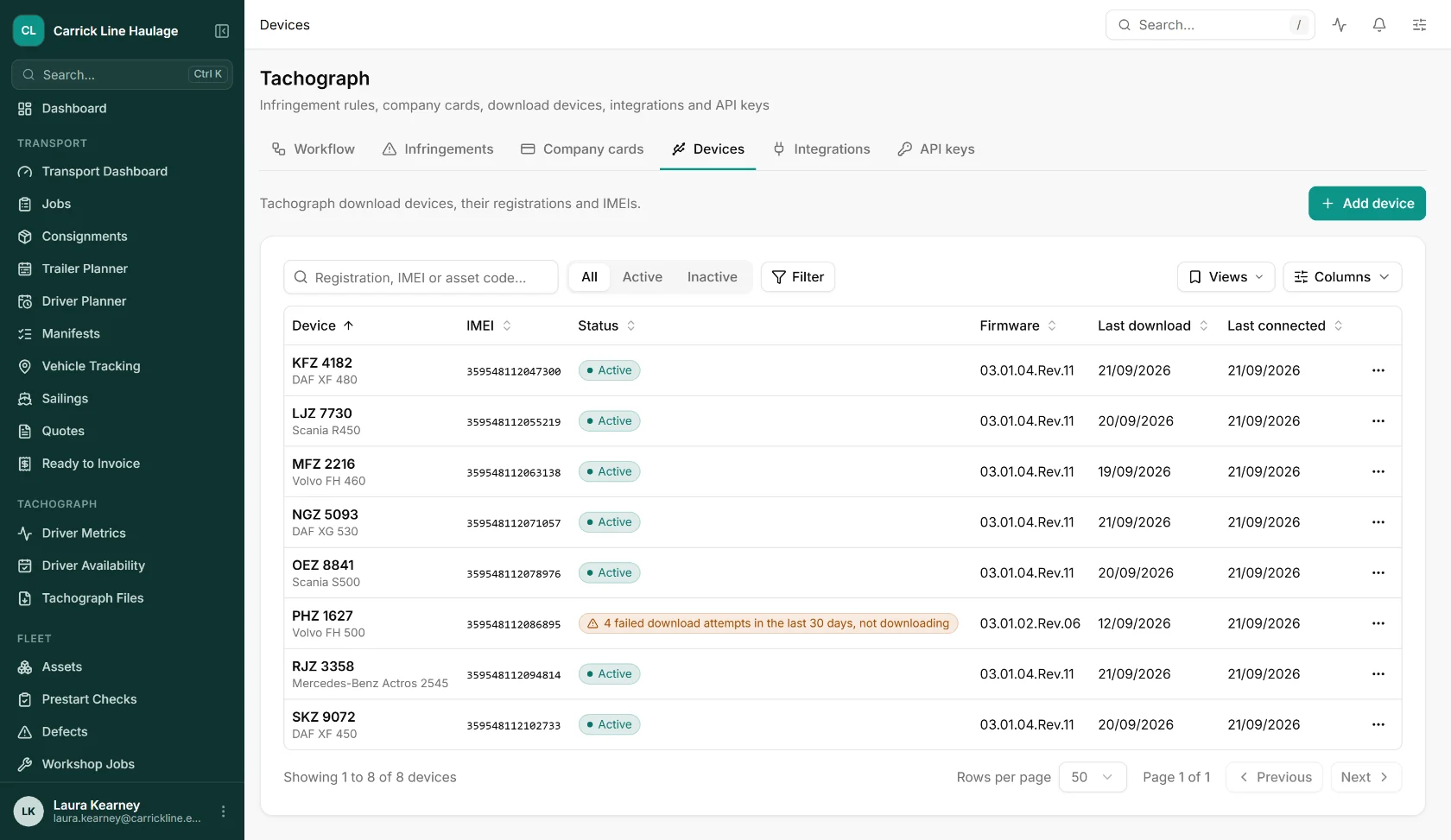
Driver cards must be downloaded at least every 28 days and vehicle units at least every 90. FleetInspect tracks both limits for every driver and vehicle, including vehicles that have never been downloaded.
Trucks on tramping work or based at a customer site can go weeks without seeing the yard. Remote download collects the files over the mobile network wherever the vehicle is.
A vehicle file that cannot be matched to an asset is held for you to map rather than rejected, and matching can be re-run across everything held in one click.
Every file is read as it arrives and fed into tachograph analysis, so infringements reach the driver and the transport manager for sign-off while they are still fresh.
A Teltonika remote download device (the FMC650 family) is fitted in the vehicle and linked to it in FleetInspect by registration and IMEI.
We set up a download schedule with you, one for driver cards and one for vehicle units: daily, weekly, fortnightly or every 28 days. The first vehicle download goes back up to 92 days.
Driver card and vehicle unit files land in your account and are matched to the right vehicle by registration, VIN or calibration history. Need one sooner? Request a download for a driver or a vehicle from the web app.
Activity, events and faults, technical data and speed data feed driver and vehicle records, infringements and your drivers' hours compliance checks.
Captured from the shipped web app, showing sample data for an invented haulier.
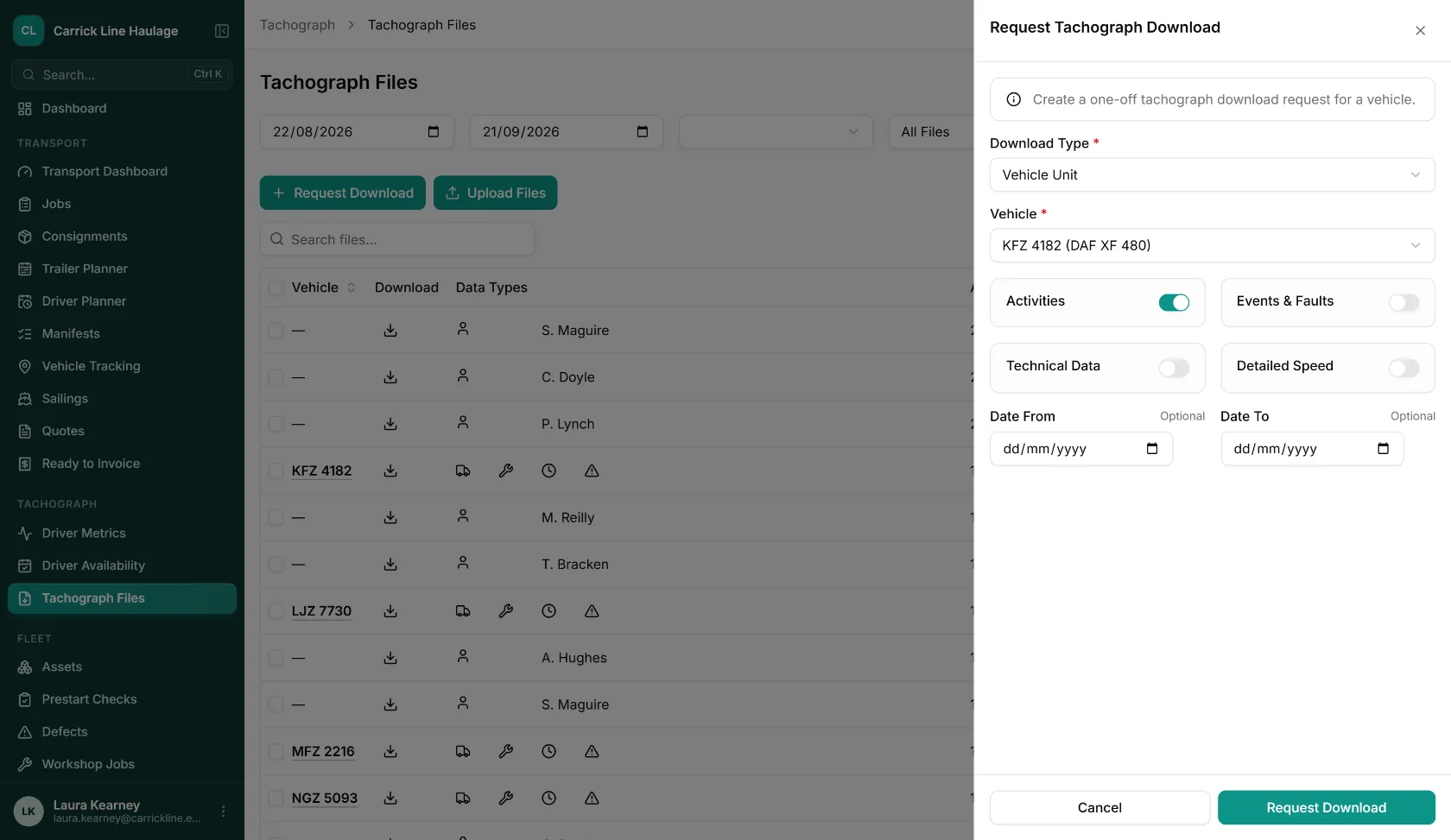
Pick a driver card, or a vehicle unit with the data you want (activities, events and faults, technical data, detailed speed) and an optional date range.
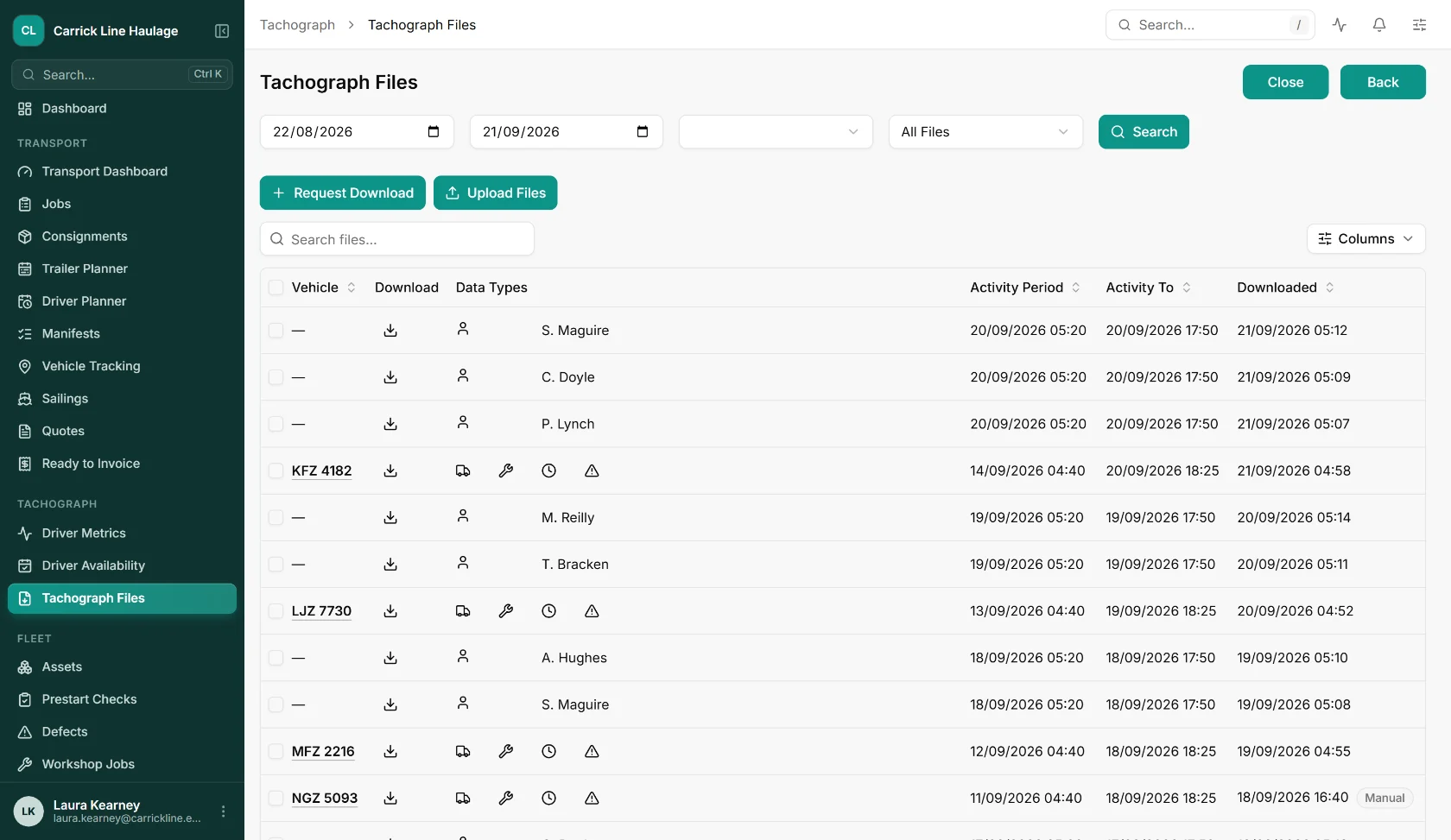
Every driver card and vehicle unit file with its activity period and download time. Download one file, or a selection as a ZIP, and upload files by hand when you need to.
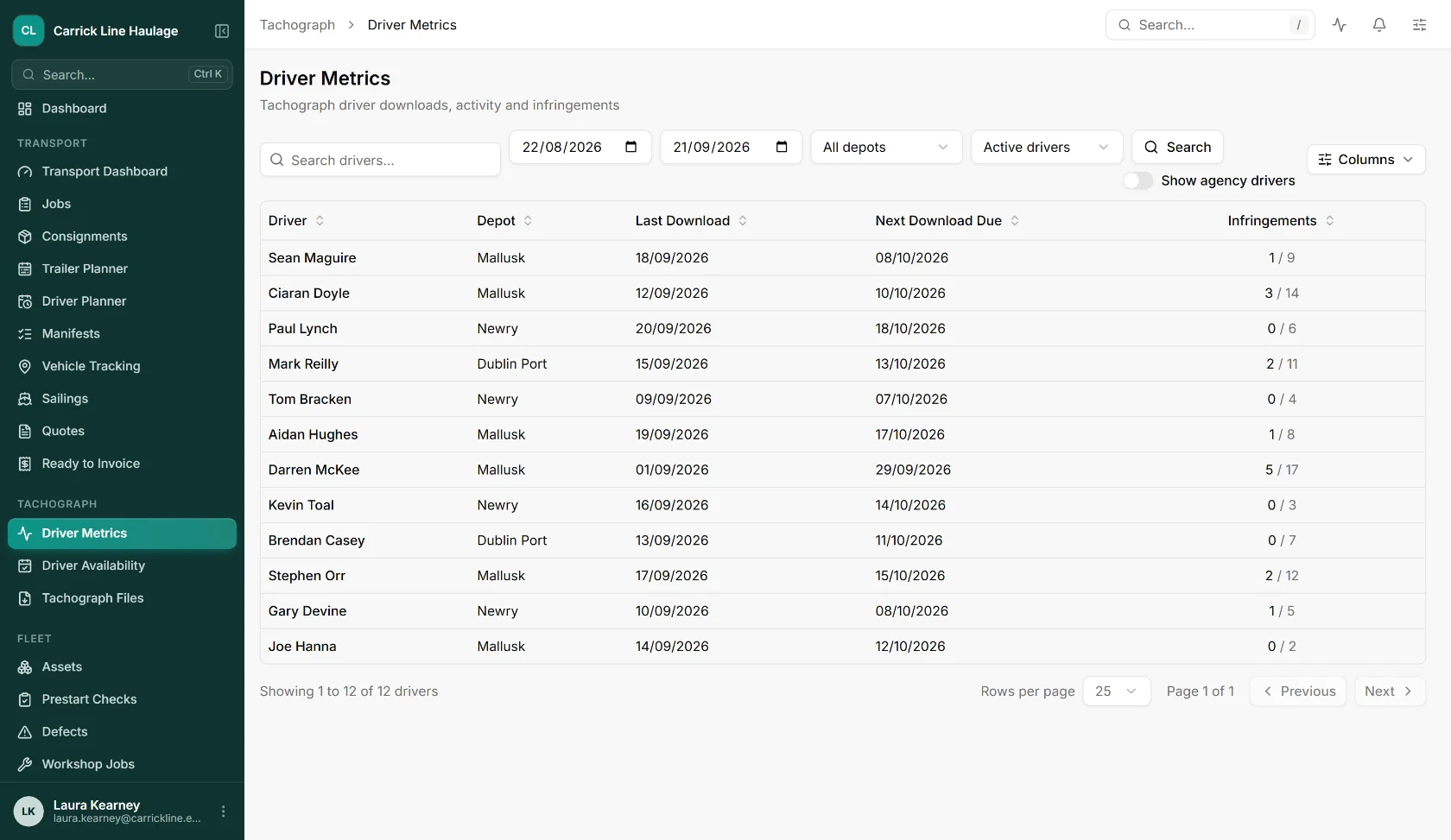
Each driver with their last card download, the date the next download is due and their infringement count.
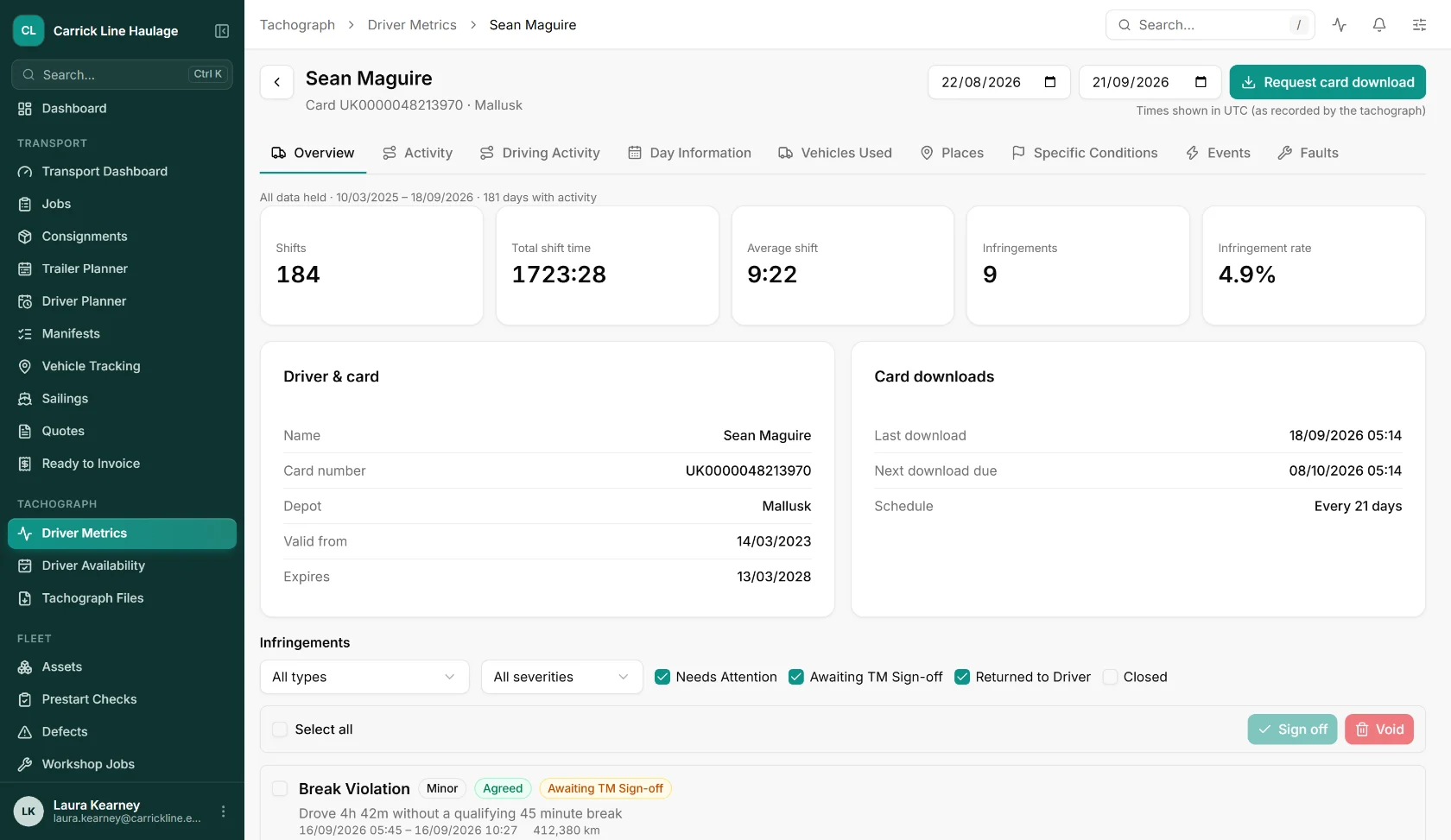
Card details, expiry and the infringements waiting for sign-off, built from the downloaded files.
Take the modules that fit how you work, leave the ones that don't. Every module shares the same data and the same UI.
Scheduled and on demand downloads of driver cards and vehicle units, download devices, company card hosting and file forwarding.
Driver hours monitoring, infringement detection with driver and transport manager sign-off, and compliance reporting.
Current activity, driving status and remaining driving time from connected download devices.
Planning, consignments, manifests and vehicle tracking that share the same drivers and vehicles.
Straight answers on how remote tachograph downloading works with FleetInspect.
It is a way of collecting tachograph data without going to the vehicle. A device fitted in the cab reads the driver card and the vehicle unit and sends the files over the mobile network to FleetInspect, where they are stored, read and analysed.
In the UK and EU, driver card data must be downloaded at least every 28 days and vehicle unit data at least every 90 days. FleetInspect shows when each driver and vehicle was last downloaded and when the next download is due, and reports how many are inside the 28 and 90 day limits.
Yes. From the Tachograph Files page you can request a driver card download for a driver, or a vehicle unit download for a vehicle, choosing the data you want and a date range. The request is picked up the next time the device connects.
FleetInspect reads first generation digital, second generation smart and smart tachograph 2 files, for both driver cards and vehicle units. It accepts .ddd, .v1b, .c1b and .tgd files.
A Teltonika telematics device from the FMC650 family, fitted in the cab. We set the devices up with you and link each one to its vehicle by registration and IMEI, and the same device can also send live driver status and vehicle data.
No. Your company card is kept in a card reader rack at our office, where it authenticates each remote download, so nothing has to run at your depot. Every card is checked daily, a card that has expired or is not yet valid is refused, and you are warned 21 days before one expires.
Yes. Files can be forwarded automatically to an FTP or SFTP server you control, to an email address, or to a connected analysis provider. Connect one in the tachograph settings, choose a start date and earlier files are queued for delivery as well.
Yes. Drag files into the web app and FleetInspect previews what it found in each one, warns about duplicates and files it against the right driver or vehicle. Other systems can also send files in using an API key you create and can revoke.
The Devices page shows when each device last connected and last downloaded, flags devices with repeated failed attempts and keeps a timeline of each download session, so a problem is visible before a deadline is missed.
Book a free, no-obligation demo and see how FleetInspect can transform your operations. One email is all it takes.
The link opens a ready-made email in your mail app. Tell us a little about your business and we’ll come back with demo times.
Book a 30-minute walkthrough. We’ll map FleetInspect onto how your operation actually works. No generic demo, no hard pitch.