01
Reported, then lost
A defect written on a pad depends on someone reading the pad. In FleetInspect it lands in the defects list for the office and notifies the group you have set for that vehicle, its category, its depot or the whole company.
Drivers report defects from the walkaround check or on their own, with a note and photos. The office sees each one, turns it into a repair job and records what was done, so every report has an ending.
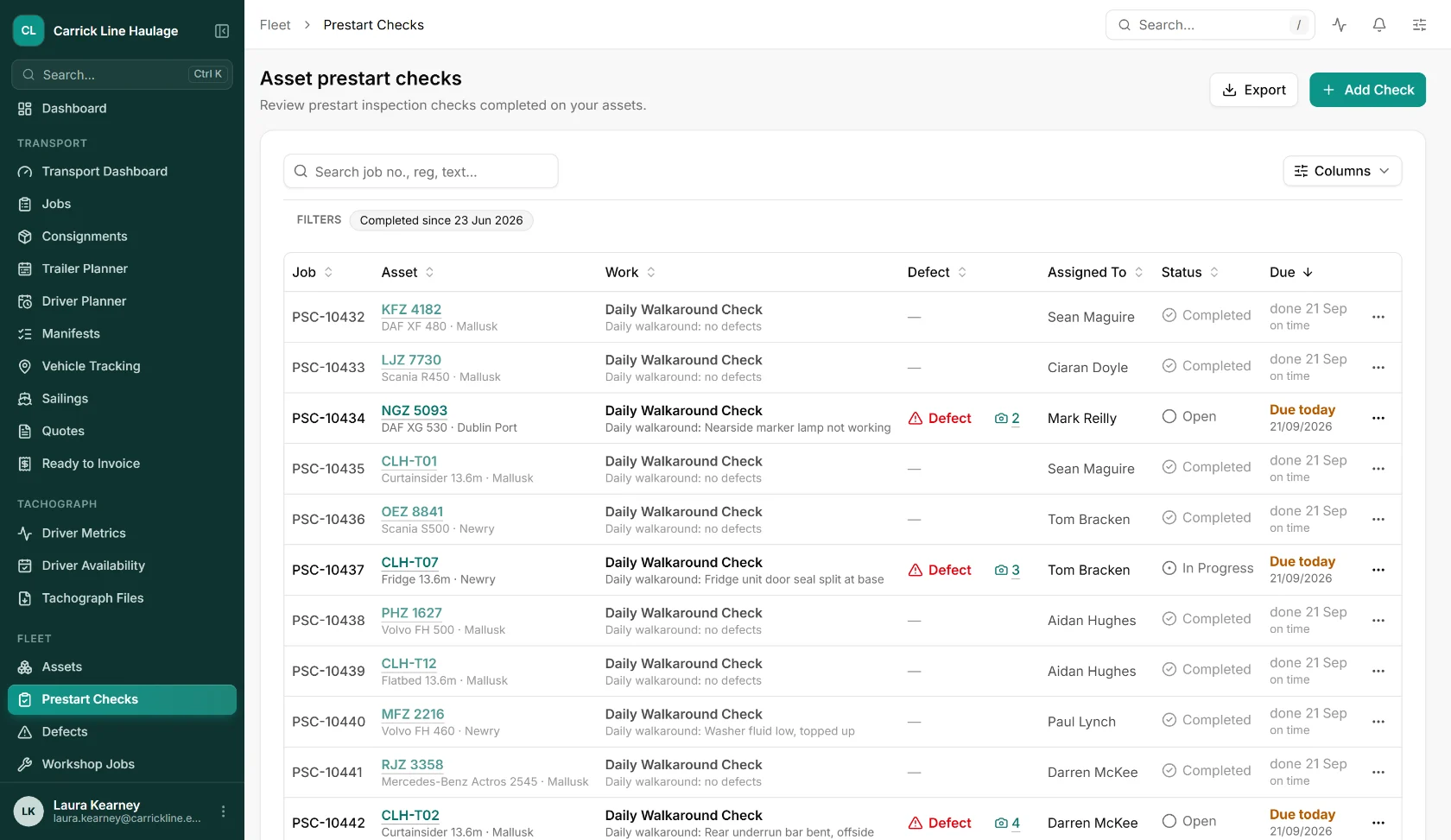
A defect written on a pad depends on someone reading the pad. In FleetInspect it lands in the defects list for the office and notifies the group you have set for that vehicle, its category, its depot or the whole company.
An examiner wants to see what was done about a defect, not only that it was reported. The repair job keeps the resolution, the completion date and who did the work, linked to the original report.
An urgent defect marks the vehicle as off the road. By default it cannot be given another check or dispatched on a job until the defect is dealt with, and where tracking or tachograph data shows it being driven, the dashboard says so.
Parts and materials go on the job with quantity, cost, supplier, invoice and purchase order number, and mechanics log their time. The spend builds up against the vehicle.
From a failed item on the walkaround check, or with Report a Defect in the app at any time. A description and photos, with or without a signal.
A push notification and an email go to the group you have set for that vehicle, which can include an outside address such as your garage.
Create a repair job from the defect, link it to a job already open, or dismiss it. Assign the job to a mechanic or to an outside supplier.
The resolution, the completion date, the parts and the costs stay on the job. A defect raised on a check shows as previously reported on the next check of that vehicle until it is closed.
Take the modules that fit how you work, leave the ones that don't. Every module shares the same data and the same UI.
Defects from checks, from the app and from the web, with priorities, photos and the people to notify.
Repair jobs with an assignee, a supplier, parts, purchase orders and time logs.
Daily checks in the driver app against your own checklist, where most defects start.
Safety inspections, MOTs and calibrations planned for every vehicle and trailer.
Our printable walkaround check sheet has the driver defect report and the office repair record on the same page, for lorries, trailers and vans.
Straight answers on driver defect reports in FleetInspect.
It is the driver's written record of the daily walkaround check: the vehicle, the date, any defect found, the driver's name and who it was reported to. DVSA's guide also expects the record to show what was done about each defect and when. A report with nothing found is a nil defect report.
Yes. Report a Defect in the app raises one at any time, with a description, a priority and photos, and it works offline. The office can also report a defect from the web.
The distribution group for that vehicle. If the vehicle has no group of its own, its category is used, then its depot, then the company. A group can hold employees, who get a push notification and an email, and outside email addresses such as a garage.
A vehicle or trailer with an open urgent defect or job. While it is off the road, and unless you switch the setting off, it cannot be given a walkaround check or dispatched on a transport job. The dashboard counts days off the road over the last 30 days.
On the job: the resolution, the completion date, the mechanic or supplier it was assigned to, the parts and materials with their cost, invoice and purchase order numbers, time logs and notes. There is no separate sign-off step: closing the urgent job is what returns the vehicle to use.
The driver's own check history shows whether each defect was repaired and what the resolution was, and a defect that is still open appears on their next check of that vehicle.
DVSA expects reports that record a defect to be kept for at least 15 months, with what was done about them. FleetInspect does not delete checks or defects after a set period.
It depends on the modules you take and the number of vehicles, so we price it with you rather than publish a number that might not fit. Book a demo and we will give you a written quote for your fleet.
Book a free, no-obligation demo and see how FleetInspect can transform your operations. One email is all it takes.
The link opens a ready-made email in your mail app. Tell us a little about your business and we’ll come back with demo times.
Book a 30-minute walkthrough. We’ll map FleetInspect onto how your operation actually works. No generic demo, no hard pitch.